Inbound Flights Cargo
Accessing Inbound Flights Cargo
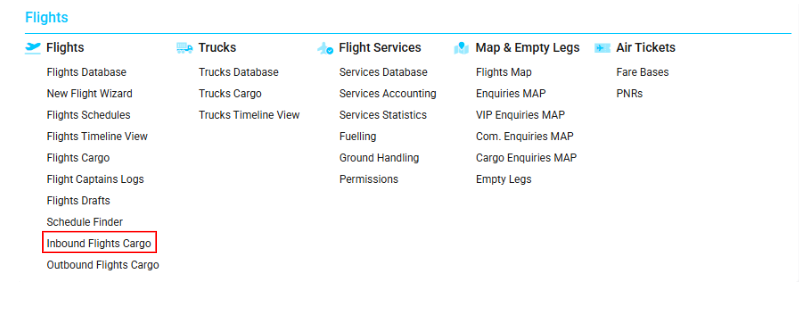
Navigate to the Flights section and under the Flights Section, click the “Inbound Flights Cargo” Button.
Overview
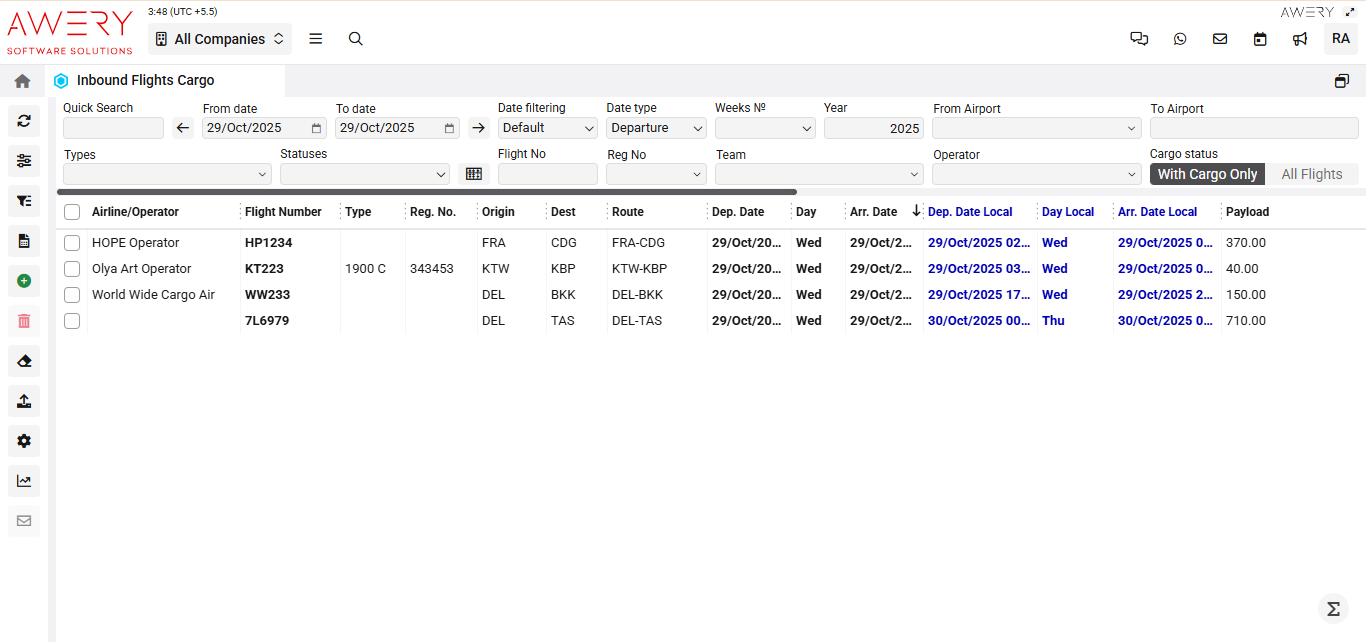
The Inbound Flights Cargo module displays a comprehensive table of incoming flights carrying cargo, including all essential flight, route, schedule, and cargo payload information.
Search Filters and Controls
-
Quick Search: Instantly search for records by flight details, airline/operator, and other attributes.
-
Date Range (From/To): Define the period for displayed inbound flights.
-
Date Filtering: Adjust how date criteria is applied (Default, Strict, Custom).
-
Date Type: Choose which event to filter by (Departure or Arrival date).
-
Week Number/Year: Specify week and year to narrow results further.
-
From Airport / To Airport: Filter by departure or arrival airports.
-
Types: Filter cargo types involved.
-
Statuses: Filter by current status of flight or cargo.
-
Flight No/Reg No: Directly search for a flight number or aircraft registration.
-
Team / Operator: Further limit results by operational unit or air carrier.
-
Cargo Status: Toggle between "With Cargo Only" and "All Flights" to display records carrying cargo or all inbound flights.
Main Table Columns
-
Airline/Operator: Name of the airline or carrier operating the flight.
-
Flight Number: Unique alphanumeric flight identifier.
-
Type: Aircraft type or model (when specified).
-
Reg. No.: Aircraft registration number.
-
Origin: Departure airport or location.
-
Dest: Arrival airport or cargo destination.
-
Route: Route code designating the flight's path.
-
Dep. Date: Scheduled UTC departure date and time.
-
Day: Day of the week for scheduled departure.
-
Arr. Date: Scheduled UTC arrival date and time.
-
Dep. Date Local/Arr. Date Local: Departure and arrival dates/times shown in the local time zone of the respective airport.
-
Day Local: Day of the week at the local airport for scheduled events.
-
Payload: Weight/quantity of cargo reserved or carried by the flight.
Actions and Navigation
-
Select Row: Checkbox on each row allows user to select flights for bulk action or additional review.
-
Details/Links: Clickable entries in the Arr. Date Local column can reveal detailed cargo and flight histories or logs, if enabled.
Visual Reference
(The following screenshot demonstrates the complete Inbound Flights Cargo interface with all active filters, columns, and a populated example table.)