Accessing Flight Captains Logs
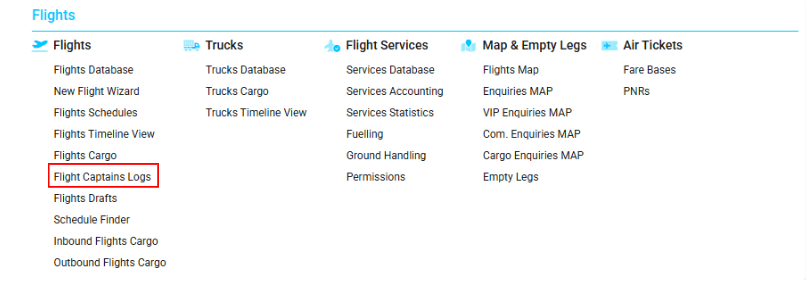
Navigate to the Flights section and under the Flights menu, click the "Flight Captains Logs" button.
The interface mirrors the functionality of the Flight Database page, providing advanced log viewing and reporting features. You can also refer to detailed instructions in the Flights Database manual.
Overview
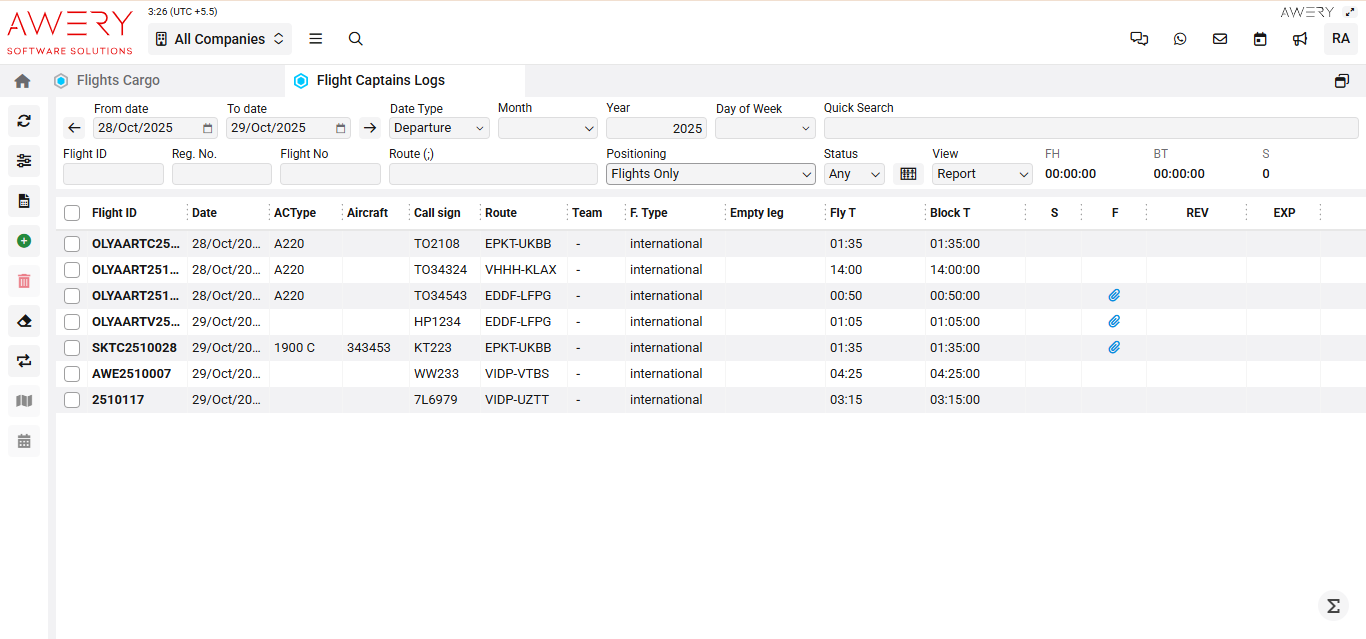
This interface allows users to review, search, and generate reports on flight captain logs. Each flight record is linked to the core operational database and can be opened in detail by double-clicking on the relevant record. The logging system includes filters and reporting tools in line with user permissions. The "Report View" is set as the default display for efficient summary and printing.
-
Permission controls are enforced, mirroring the general access structure used in the main database.
-
All log data and reporting options are dependent on user access rights.
Key Features
-
"Report View" is the default display mode for all users.
-
Double-click any flight in the list to open its detailed flight report.
-
Data can be filtered by date, call sign, aircraft, team, route, and other criteria, replicating Filters logic used in Schedules.
-
PermissionName attributes determine whether options are visible, hidden, or restricted.
Using Filters and Viewing Logs
The header area provides the following filter options:
-
By Date: Filters logs for the selected period.
-
By Call Sign/Flight Number: Enables direct search for flights associated with specific captains.
-
Additional Filters: Include aircraft registration, destination, and route.
Records meeting the applied criteria will be listed in the main table. To view a detailed log (including full captain notes and operational data), double-click a row in the listing.
Reports and Export
-
Use the "View" dropdown to toggle between available formats (Report, List, or Custom).
-
Download or print logs by using the export/report function at the upper right.
-
All downloaded reports reflect filtered criteria, formatted for compliance and audit.
Visual Reference
(The following screenshot illustrates the typical interface of the Flight Captains Logs report page, including search filters and the flight log grid display.)