
Accessing Cargo Enquiries Map
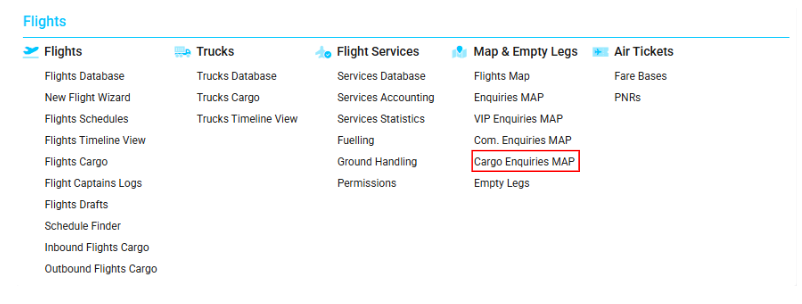
Navigate to the Flights section and under Maps & Empty Legs, click the “Cargo Enquiries Map” Button.
Overview
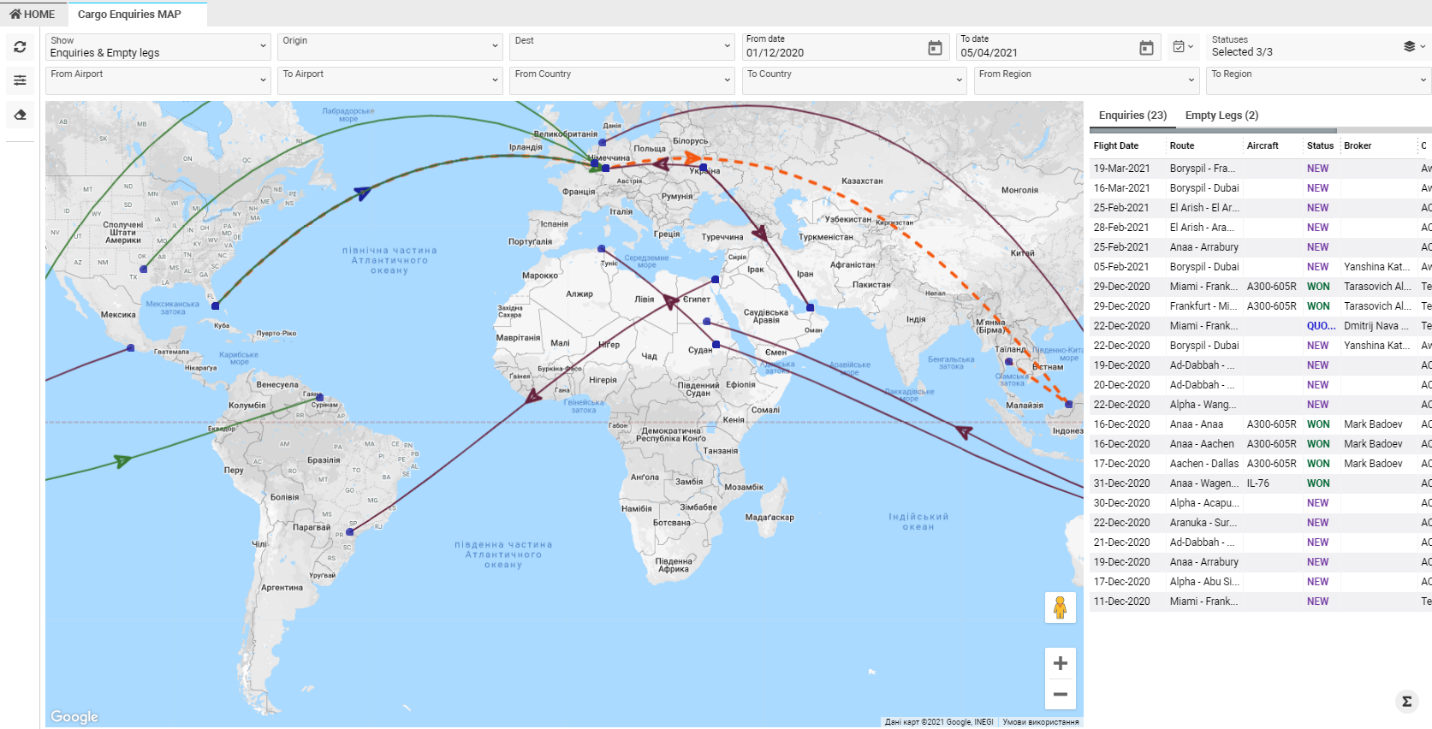
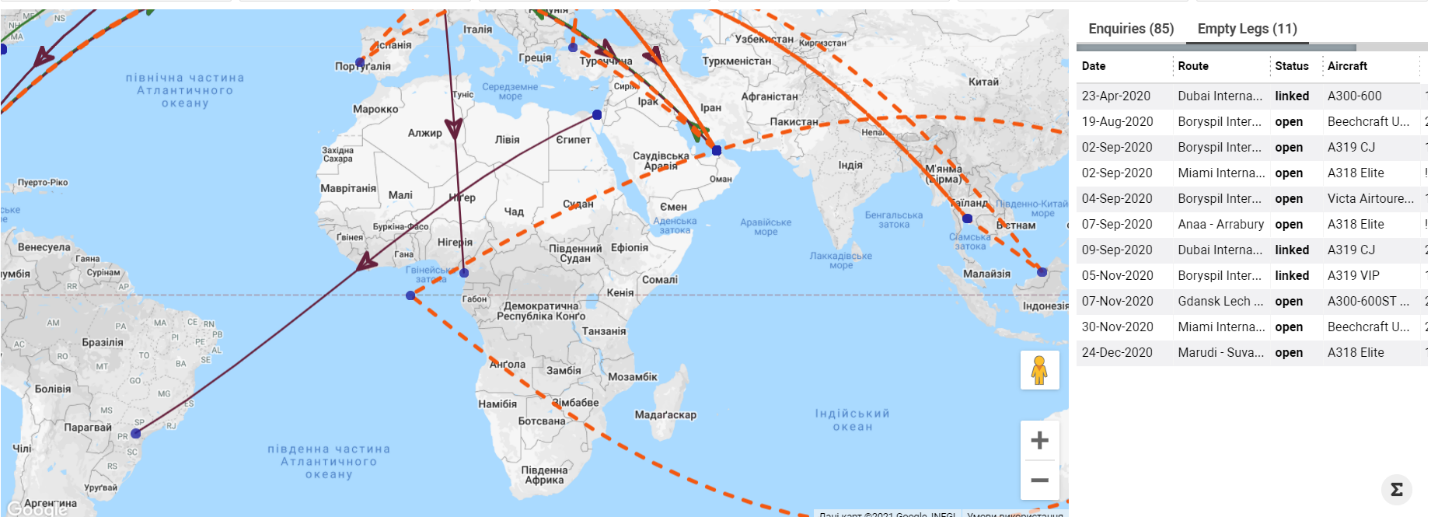
The Cargo Enquiries Map displays all enquiries marked with the Cargo type. The page shows both enquiries and empty leg movements on the map for a selected time period.
You can filter both enquiries and empty legs using multiple available parameters, allowing you to quickly retrieve the required operational information.
Map Description
Show Selector
At the top of the map, the Show selector determines which records appear:
-
Enquiries & Empty Legs (default)
-
Empty Legs Only
-
Enquiries Only
Enquiries on the Map
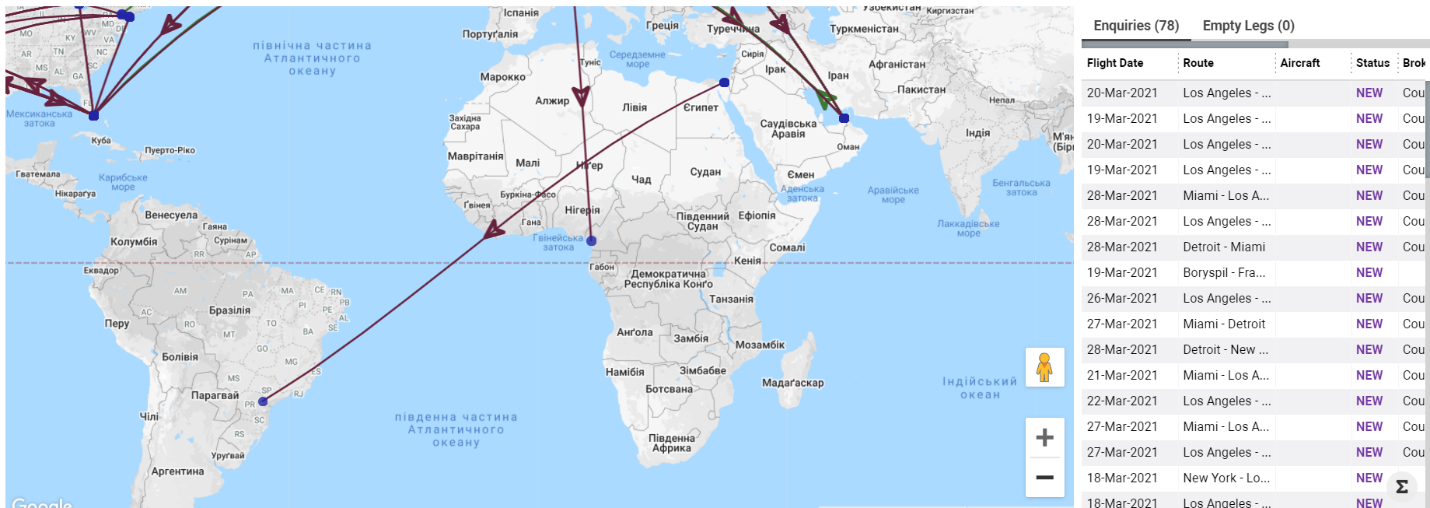
Enquiries appear as coloured lines on the map, with colour indicating status:
-
New – Very dark pink
-
Quoted – Dark blue
-
WON – Dark moderate lime green
Each line includes an arrow that shows the enquiry’s current position:
-
Arrow at departure airport → enquiry has not departed
-
Arrow at arrival airport → enquiry has arrived
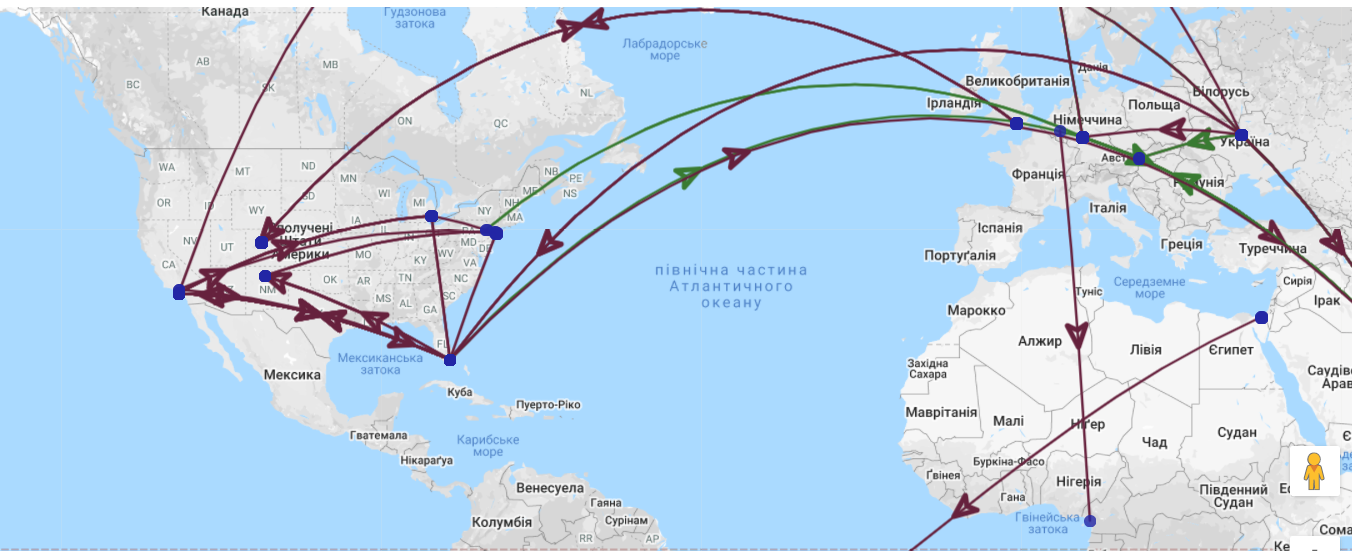
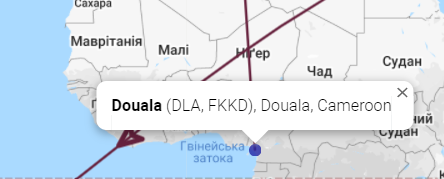
When hovering over a blue point, airport information appears (Airport Name, Codes, City, Country).
Clicking on the point reveals detailed enquiry information:
-
Flight departure date
-
Route
-
Aircraft
-
Status
-
Broker
-
Office
-
Enquiry ID

A list of all enquiries appears on the right side.
-
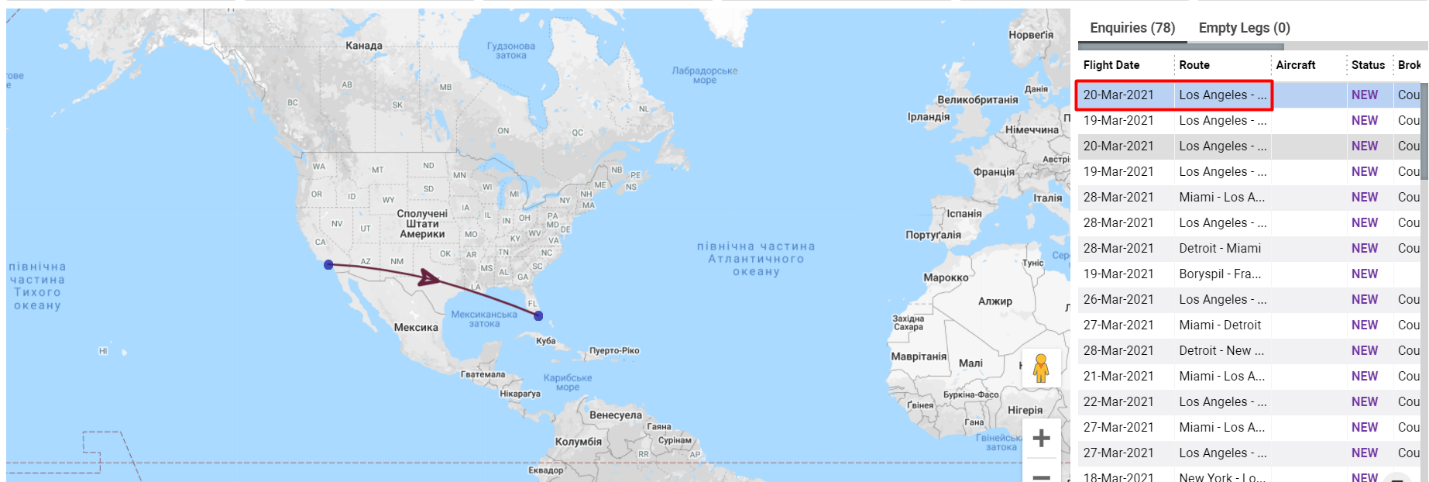
Clicking a row highlights only that enquiry on the map
-
Double-clicking opens the full enquiry page
Empty Legs on the Map
Empty legs are displayed as vivid orange dotted lines, each with an arrow indicating the current leg position:
-
Arrow at departure airport → empty leg has not departed
-
Arrow at arrival airport → empty leg has completed
Only Open empty legs appear on the map.
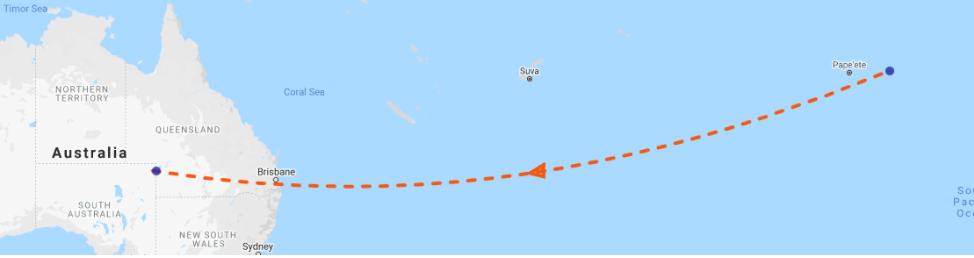
Hovering over a blue point displays the airport details (Name, Codes, City).
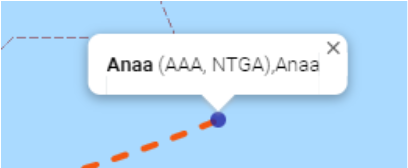
Clicking the point shows detailed empty leg information:
-
Flight date
-
Route
-
Aircraft
-
Status
-
Operator
-
Empty leg ID

On the right side, the Empty Legs list displays main details:
-
Clicking a row shows only that empty leg on the map
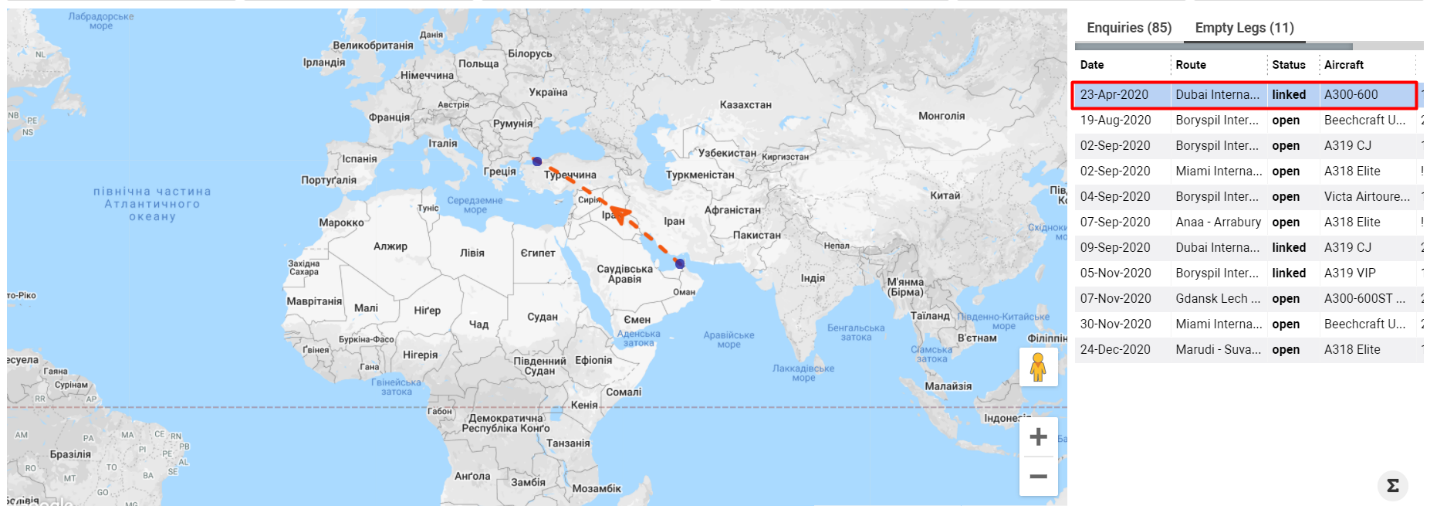
-
Double-clicking opens the empty leg page
Sorting and Filtering
Main Filters
Available at the top of the page:
-
Origin – departure airport of an enquiry
-
Dest – arrival airport of an enquiry
-
From Date / To Date – date period
-
Change Period – quick date selection
-
Status – enquiry status
-
From Airport – empty leg departure airport
-
To Airport – empty leg arrival airport
-
From Country – empty leg departure country
-
To Country – empty leg arrival country
-
From Region – empty leg departure region
-
To Region – empty leg arrival region
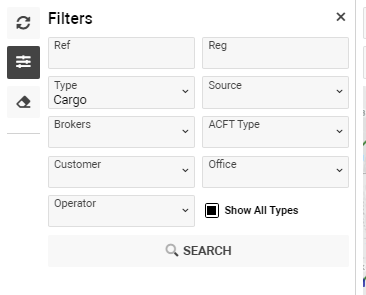
Additional Filters (via the Filters button)
-
Ref – enquiry reference
-
REG – empty leg registration
-
Type – Cargo (default)
-
Source – enquiry source
-
Brokers – enquiry broker
-
ACFT Type – aircraft type
-
Customer – enquiry customer
-
Office – company office
-
Operator – empty leg operator
-
Show All Type – displays all aircraft types
Clearing Filters
Use Clear Filters to reset all applied criteria.