
Accessing Milestone Presets
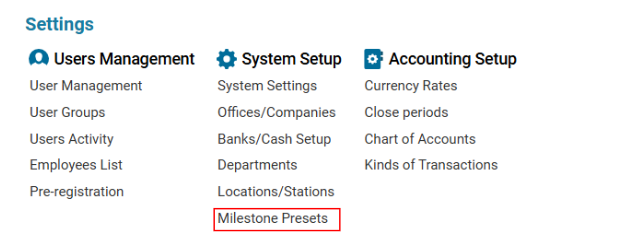
Navigate to the Settings section and under the System Setup Section click the “Milestone Presets” Button.
Overview
The Milestone Presets interface allows users to manage predefined templates for milestones associated with different operational types, such as AWB (Air Waybill),Flight, Enquiry. These presets streamline data input and ensure consistency in planning and tracking activities.
Key Functionalities
-
Filter/Search Options
-
Name: Filter presets by name.
-
Type: Dropdown to select between AWB, Flight, etc.
-
Deleted: Checkbox to include deleted items in the view.
-
Toolbar Buttons (Left Side)
-
Refresh: Reloads the list of presets.
-
+ New: Opens the form to create a new preset.
-
Delete: Deletes selected preset(s).
-
Save: Saves updates to selected preset(s).
Preset Details Panel
When a preset is selected, detailed configuration appears, allowing you to manage multiple milestones for that preset.
Milestone Details Editor
-
Title*: Name of the milestone (Required)
-
Airport: Linked airport (optional)
-
Priority: Numerical priority (1 = highest)
-
Actual From Date Local / Time
-
Actual To Date Local / Time
-
Duration (min): Duration in minutes
-
Time After (min): Delay after the previous milestone
-
Status: Current status (dropdown)
-
On Flight Position
-
Flight Position Interval
-
Attachments: Option to add documents
-
Additional: Extra settings tab (if any)
Actions
-
+ New: Add a new milestone to the preset.
-
Update: Save changes to the selected milestone.
-
Delete: Remove selected milestone (disabled for system presets).