Home→Flights module→Aircraft section→Comm. J Registration
Overview
VIP Registration page displays general information about Cargo aircraft
Also, you have opportunities to add new items to the system, edit them and delete outdated data.
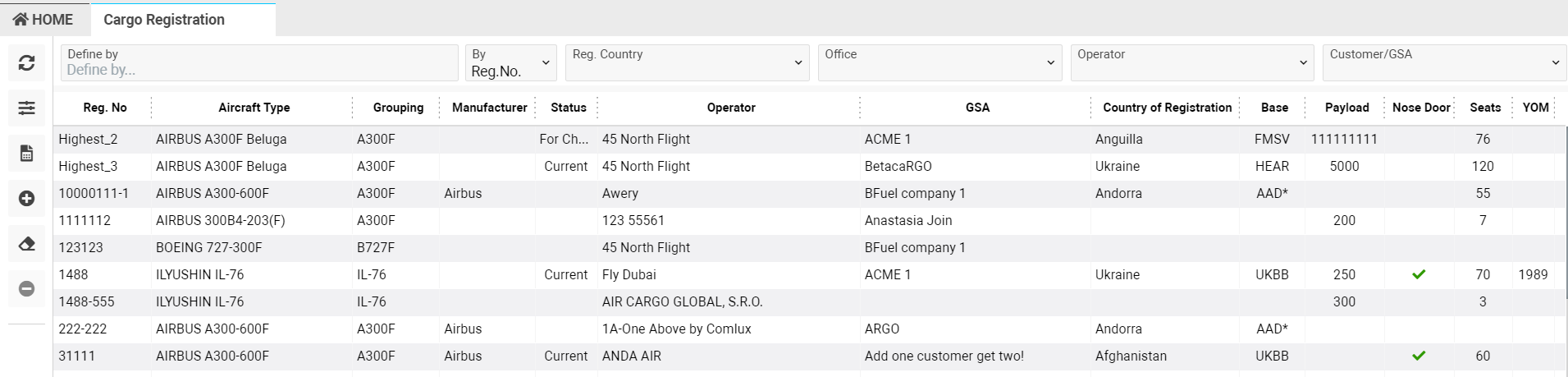
List Description:
-
Reg.No - registration number of the aircraft
-
Aircraft type - type of the aircraft
-
Grouping - group does the plane belong to
-
Category - category of the aircraft
-
Manufacturer - manufacturer of the aircraft
-
Status - aircraft status
-
Operator - operator of the aircraft
-
GSA - operator-partner of the aircraft
-
Country of Registration - country of registration the aircraft
-
Base - basic airport
-
Payload - available payload
-
Nose Door - aircraft with nose door is marked by a tick

-
Seats - number of seats
-
YOM - Year of Manufacture
Manuals
-
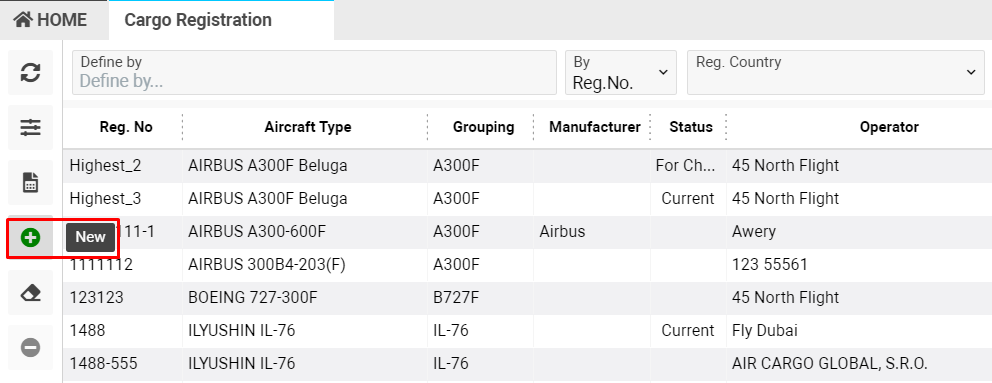
You have an opportunity to add a new Aircraft to the system by clicking +New button
-
By double click an aircraft details will be open in the next line and you will be able to edit the data
To learn more, follow the link New/Edit Aircraft
-
Also, you have an opportunity to delete an outdated aircraft
Select the required item and the Delete button will be active 
Sorting and filters
Flexible filters allow you to search for items in a convenient way.
You can use filters separately or combine them with each other.
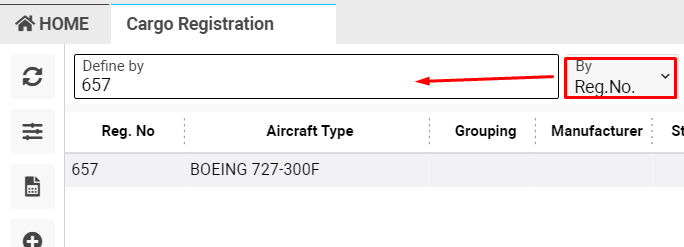
Specify parameter in selector BY and input value in "Define by" field
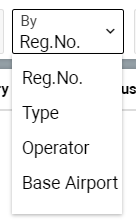
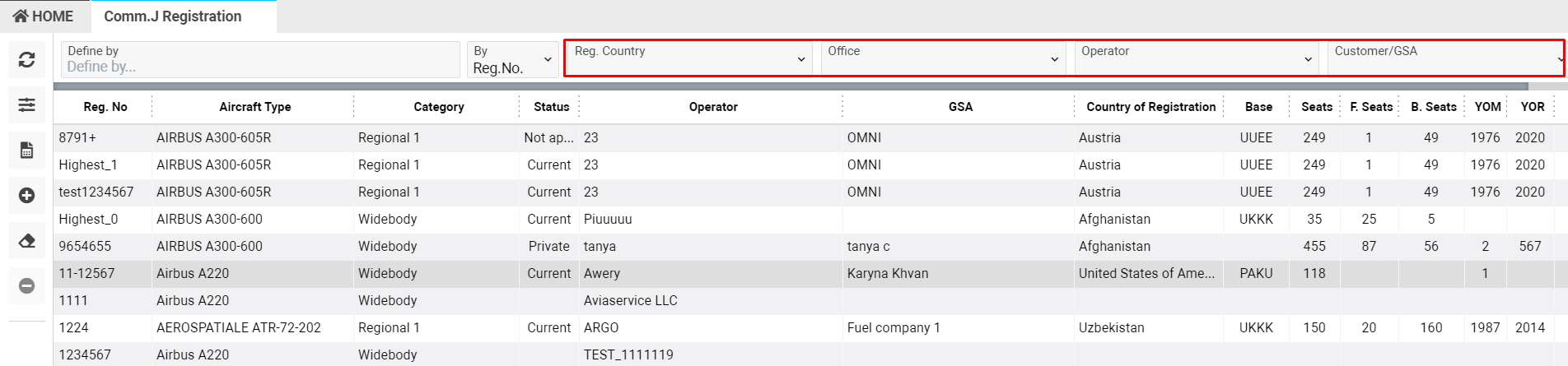
Other available parameters are reg.country, office, operator, Customer/GSA
To view additional filters move to the Filter button. Available search parameters are:
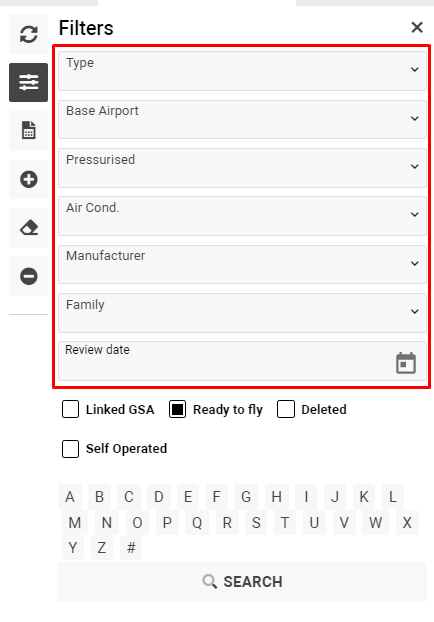
Aircraft types - type of the aircraft selector
Base airport - base airport of the aircraft
Pressurised - specify the plane is under pressure or not
Air cond.- specify the presence or absence of air conditioner
Manufacturer - aircraft manufacturer
Family - aircraft belonging to a group
Review date - aircraft review date
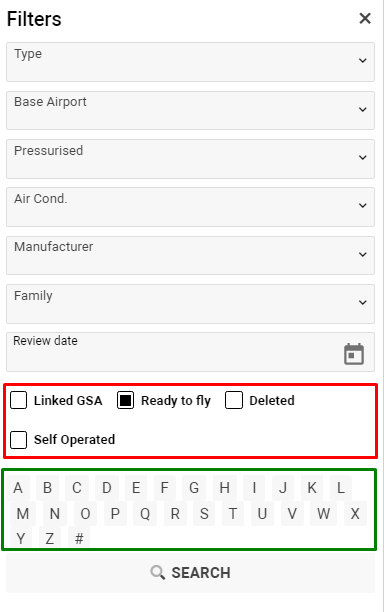
Also, you can sort items by letters and check-boxes:
-
Linked GSA - displays the list of aircrafts with linked GSA
-
Ready to fly - shows the list of aircraft which ready for work
-
Deleted - shows the list of previously deleted aircrafts
-
Self operated - shows the aircraft which belong to the current airline
Report
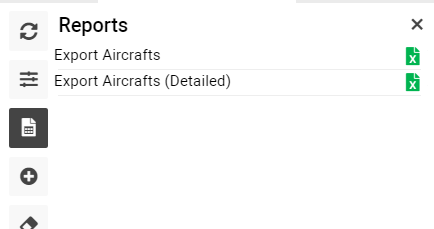
You have an opportunity to export aircraft data in XLS format