
Accessing Fare Bases
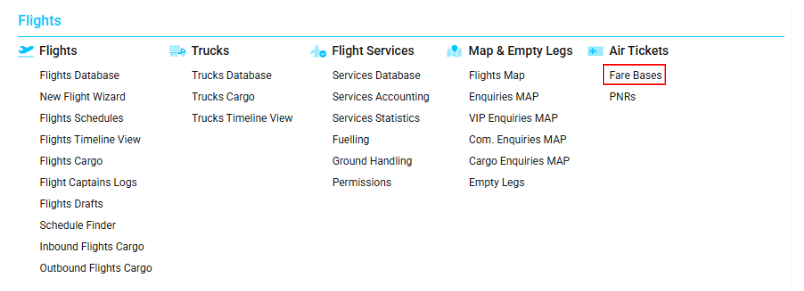
Navigate to the Flights section and under Air Tickets, click the “Fare Bases” Button.
Overview
The Fare Bases interface allows you to create, view, and edit air ticket prices for different travel classes, passenger types, and routes.
Each fare base entry defines the price for a specific class and passenger category (adult, child, infant) on a given route.
The system also provides filtering tools, quick search options, and access to Fare Base Classes for fast updates.
List Description
Each fare base entry includes the following information:
-
Name: The full name of the class.
-
Class: The abbreviation or class code.
-
Origin: The departure airport.
-
Dest: The arrival airport.
-
PTC (Passenger Type Codes): Identifies the passenger type (adult, child, infant).
-
Price: The fare applicable to the selected class, route, and PTC.
-
Cur: The currency of the fare.
Filtering
You can refine your search using any of the following methods:
Quick Search
The quick search bar allows you to search by name, class, origin, destination, PTC, price, or currency.
Origin/Destination Selectors
You can filter entries by entering IATA or ICAO codes, or by selecting a city or country.
Additional Filters
You can view only:
-
Round Trip fares
-
Transit fares

Use the Clear Filters button to reset all selections and return to the full list.

Deletion
To delete a fare base:
-
Double-click on the required entry to open it.
-
Use the Delete option available inside the entry page.
Additional Options
You can quickly create or update a Fare Base Class by clicking the Classes button.
The system will redirect you to the Fare Bases Classes page.
(Refer to Fare Bases Classes for more information.)
Manuals
Adding a New Fare
To create a new fare, click the NEW button.
A new tab will open with the New Fare Base page.
Main Block
In the main block, enter the general information for the fare.
The required and optional fields include:
-
Name: A mandatory field for naming the fare base.
-
Class: Select the classification of the air ticket.
-
Origin / Destination: Autocomplete fields where you can type IATA or ICAO codes, or choose a city or country.
-
VIA: A transit point using IATA/ICAO codes, city, or country.
-
PTC: Select the passenger type code (adult, child, infant).
-
Currency: The currency in which the fare is set.
-
Policy Text: A space for additional notes or comments.
Click Update to save the main block.

Additional Block
After saving the main block, you will be able to add pricing details.
Here, you can specify:
-
Fare charge type
-
Price
-
Currency
-
Rate
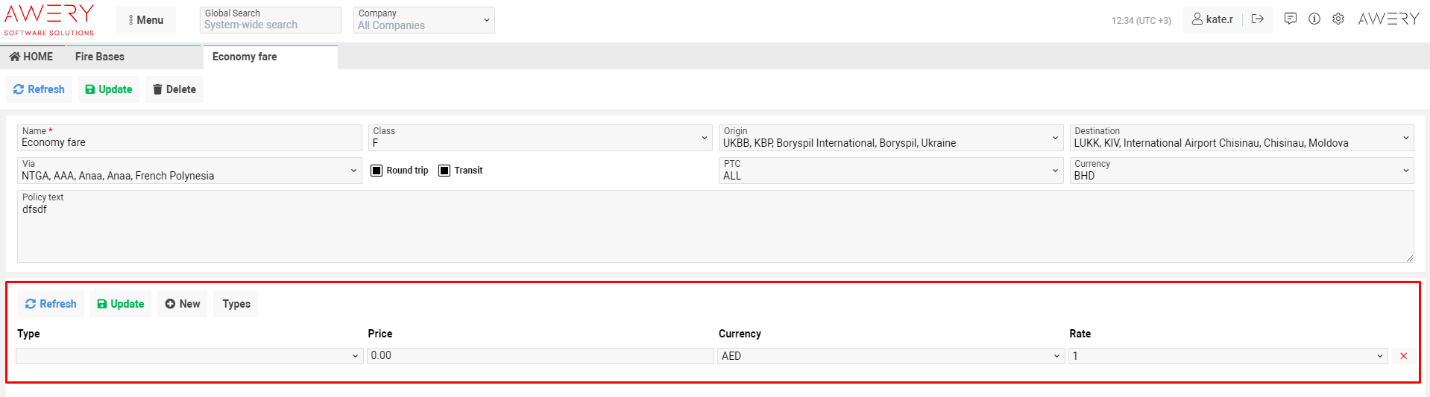
To manage multiple pricing lines:
-
Click + New to add an additional line.

-
Click Delete to remove a line.

If a fare charge type is missing, click Types to quickly add a new one.

To save all changes, click Update.
