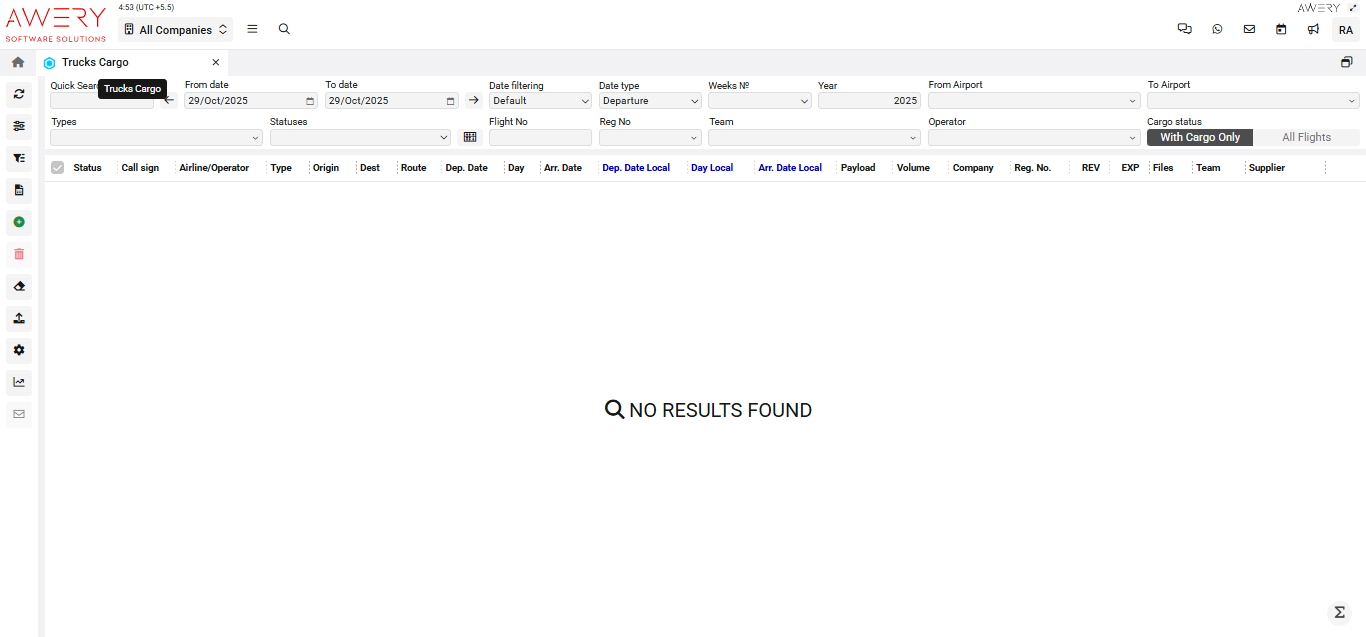
Accessing Trucks Cargo
Navigate to the Flights section and under the Trucks Section, click the “Trucks Cargo” Button.
Overview
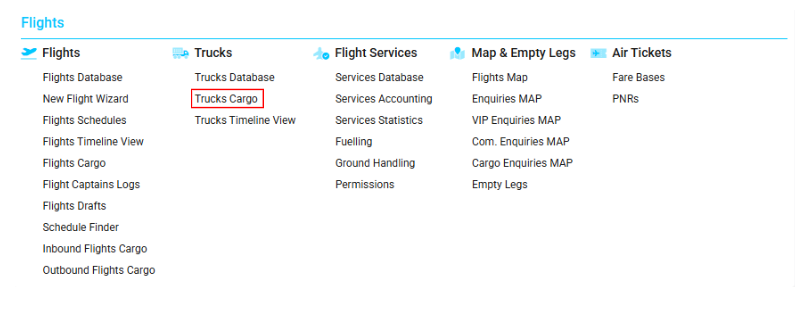
The Trucks Cargo module presents detailed records of cargo truck assignments, integrating advanced filtering, search, and operational controls.
Search Filters and Controls
-
Quick Search: Instantly filter visible records by keywords or truck/flight parameters.
-
From date / To date: Choose a date range for searching truck movements.
-
Date Filtering: Control how date filters are interpreted (Default, Strict, etc.).
-
Date Type: Choose reference event for filtering (Departure, Arrival, etc.).
-
Weeks № / Year: Narrow results by specific operational week or year.
-
From Airport / To Airport: Filter transport records between designated airports or cargo stations.
-
Types: Select specific truck or cargo categories.
-
Statuses: Refine by operational, customs, or cargo status.
-
Flight No / Reg No: Enter flight or truck registration numbers for direct searches.
-
Team / Operator: Filter by logistics team or truck operator.
-
Cargo status: Toggle between "With Cargo Only" for loaded operations and "All Flights" for all truck records.
Main Table Columns
-
Status: Indicates status of cargo or truck operation (e.g., In Transit, Delivered).
-
Call Sign: Truck's assigned radio or dispatch call sign.
-
Airline/Operator: Officiating airline, ground handler, or cargo carrier.
-
Type: Truck or shipment category.
-
Origin: Starting point or loading location.
-
Dest: Cargo delivery or end location.
-
Route: Route or corridor traveled.
-
Dep. Date: Scheduled departure date (UTC).
-
Day: Day of the week for departure.
-
Arr. Date: Expected/actual arrival date (UTC).
-
Dep. Date Local: Departure time in local timezone.
-
Day Local: Day of the week by local time for either departure or arrival.
-
Arr. Date Local: Arrival time in local timezone.
-
Payload: Cargo carried in kg, tons, or units as configured.
-
Volume: Total volume transported (cubic meters or relevant unit).
-
Company: Cargo owner, logistics company, or operator name.
-
Reg. No.: Truck's registration or license plate number.
-
REV / EXP: Revenue and expense data per movement or contract.
-
Files: Attached supporting documents (CMR, customs, manifests, etc.).
-
Team: Designated logistics or carrier team.
-
Supplier: Vendor or contracted supplier for the truck/cargo movement.
Visual Reference
(The following screenshot demonstrates the Trucks Cargo interface, filter controls, all headers, and empty state.)