
New page for importing an xls file of Flights List
Path: Home page - Flights Database - Button Import
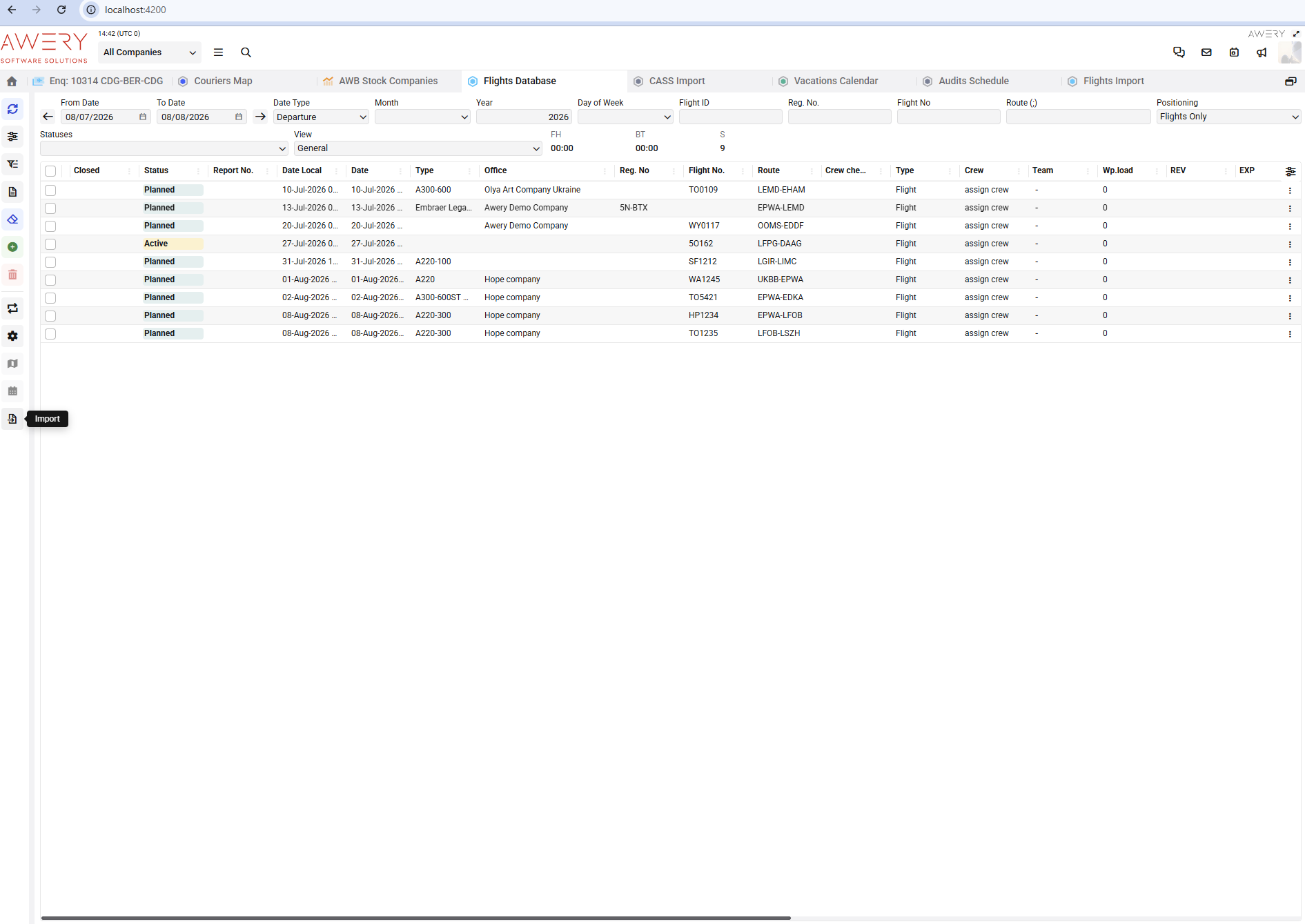
Step 1 - Upload file and select option for import
There is an area for uploading an XLS file only.
Parameters that the user can select from the front before importing:
-
Selector with the Company name (Office name)
-
Selector with the Operator name
-
Flight Status
-
Load with crew details check box - as selected, then the data from the Crew column will upload; if false, then the Crew column is ignored.
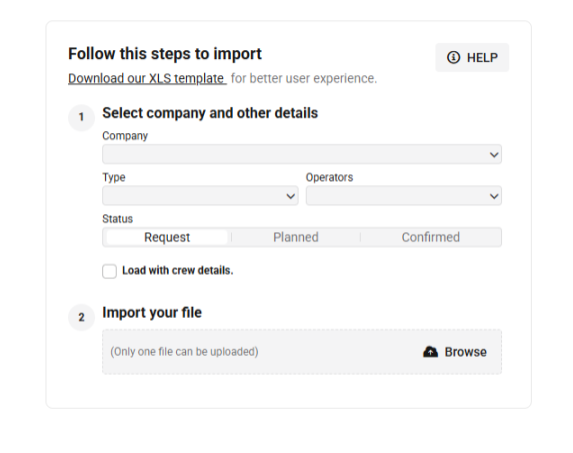
Example