
New page for importing a csv file of conversion for different currency rates
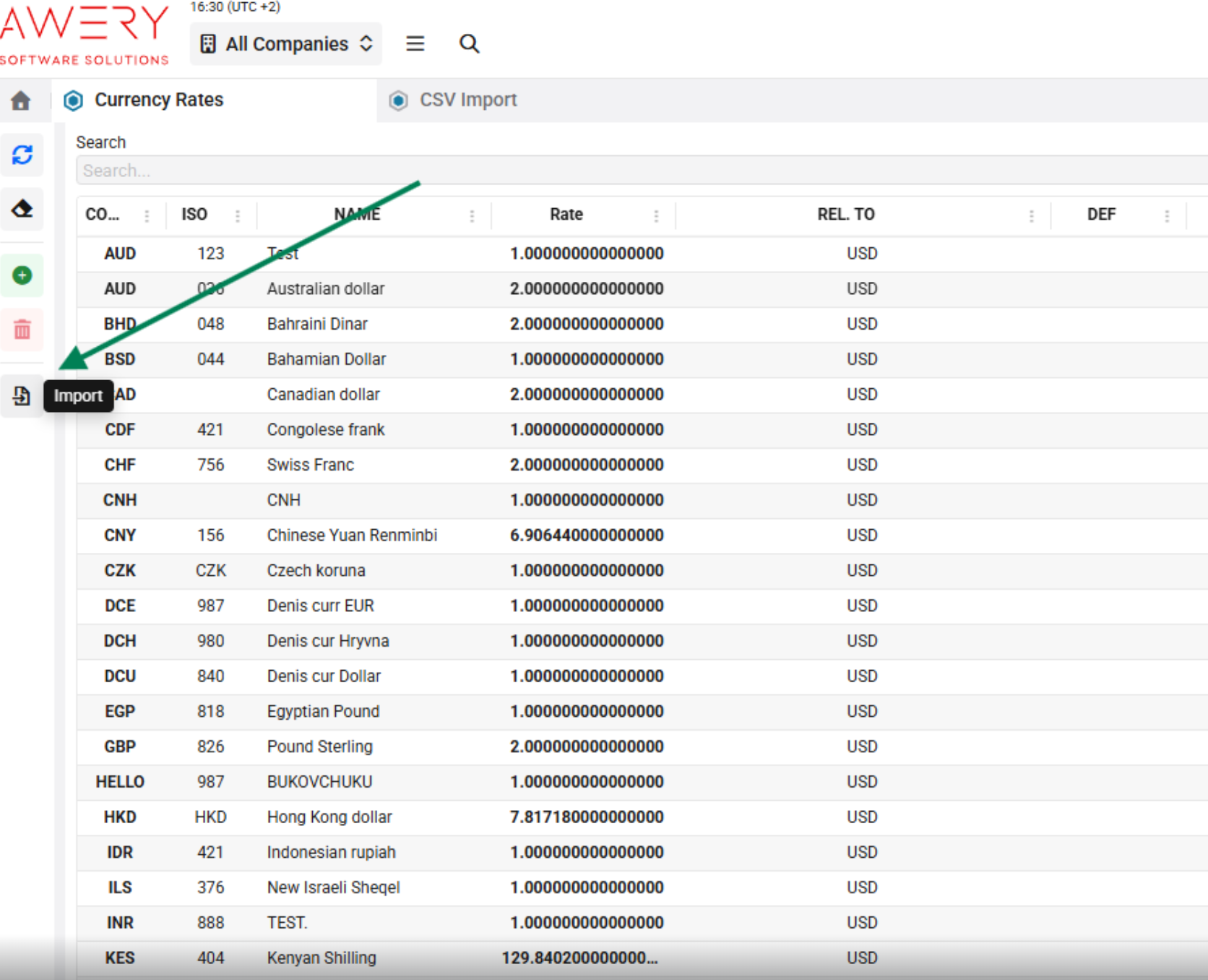
Step 1 - Upload file and select period
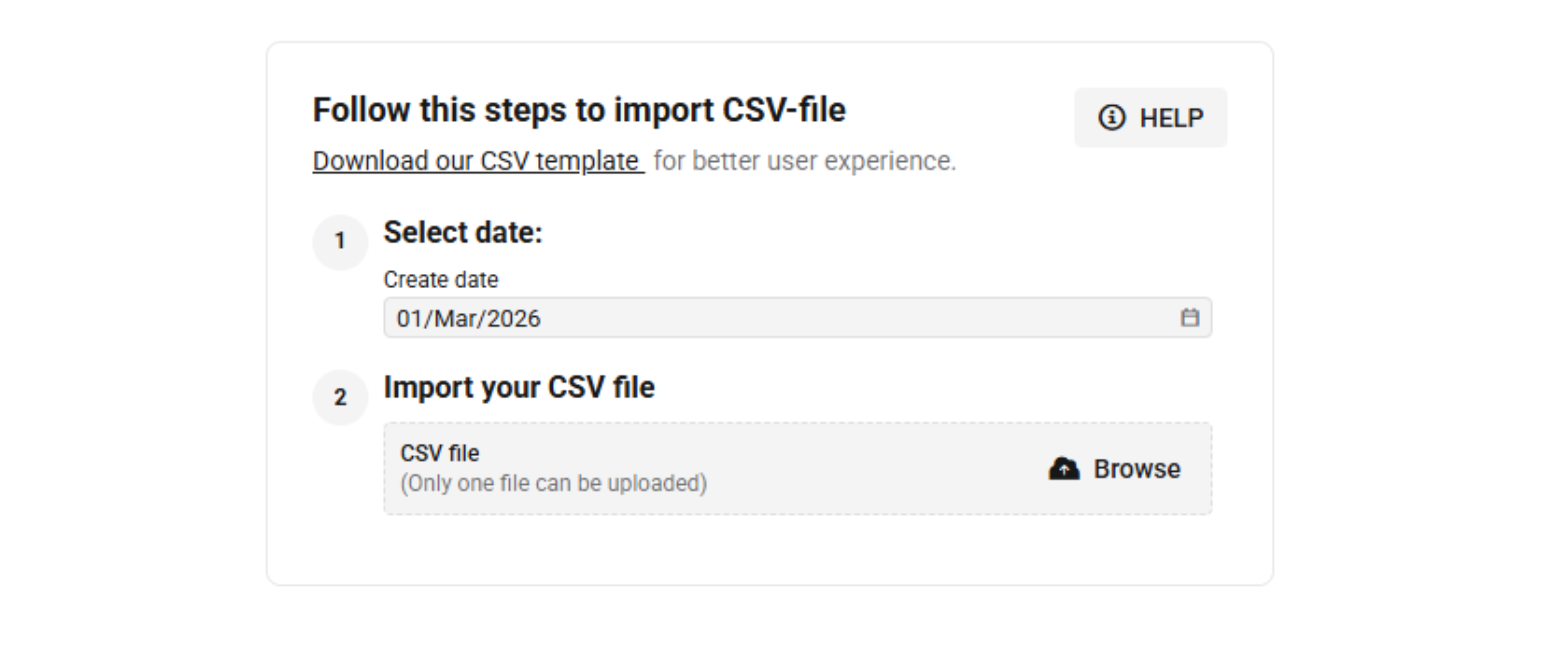
There is an area for uploading a CSV file only.
The date field is automatically filled with the first day of the current month by default but the user can manually change the start date of the period.
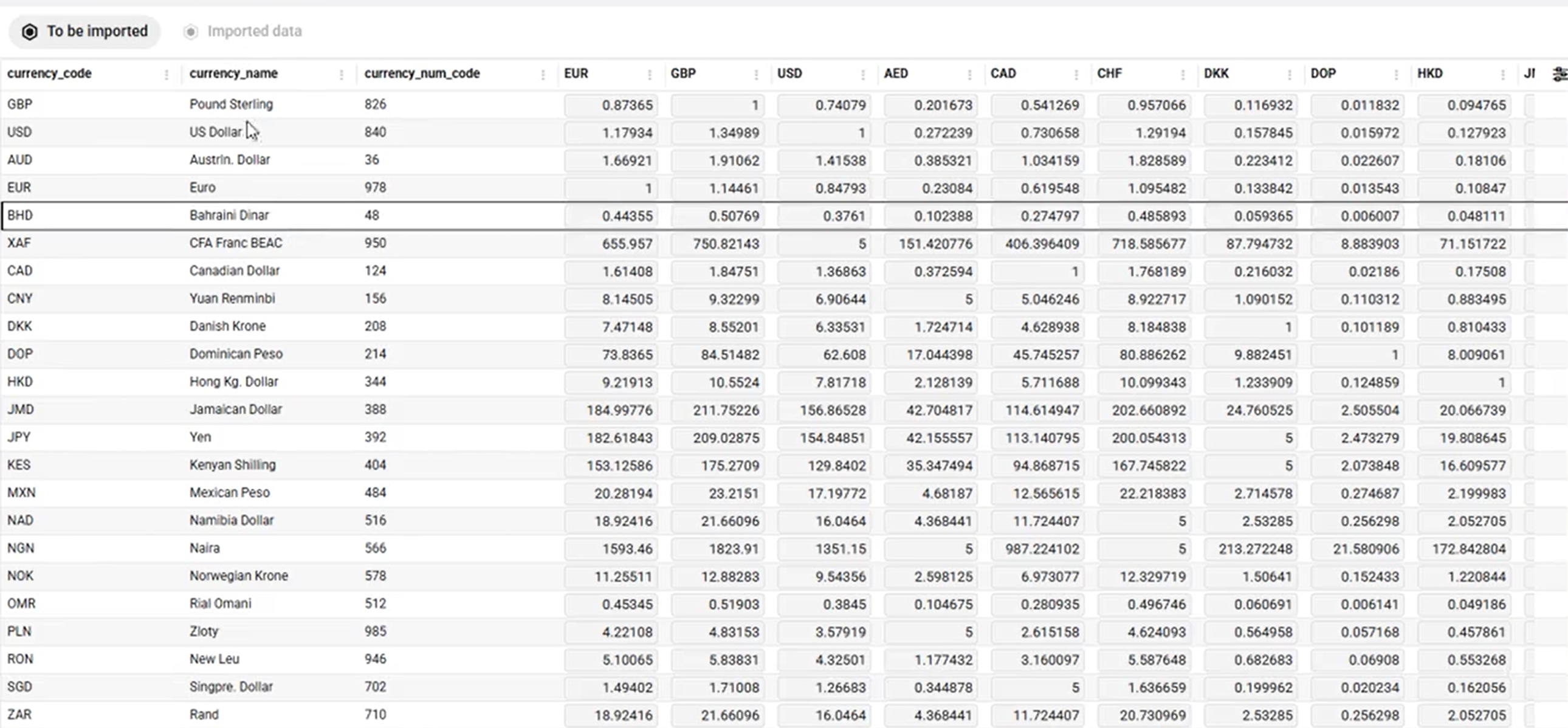
After uploading the file, the system displays the parsed data on the screen.
Step 2 - Edit before import
Parsed data is displayed correctly and matches CSV content and you have the option to manually change individual exchange rates (e.g. GBP) before saving.
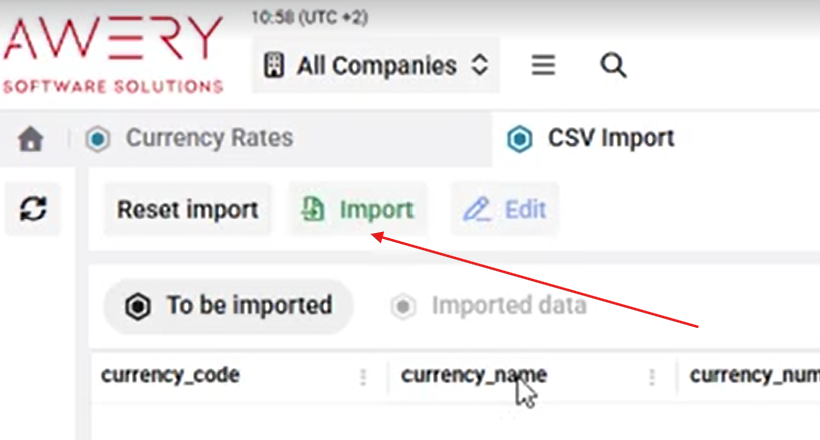
After editing, changed data must be imported (saved):
Step 4 - Checking the results
The import results are displayed on the screen after completion.
Importing a new file does not overwrite rates for previous months.
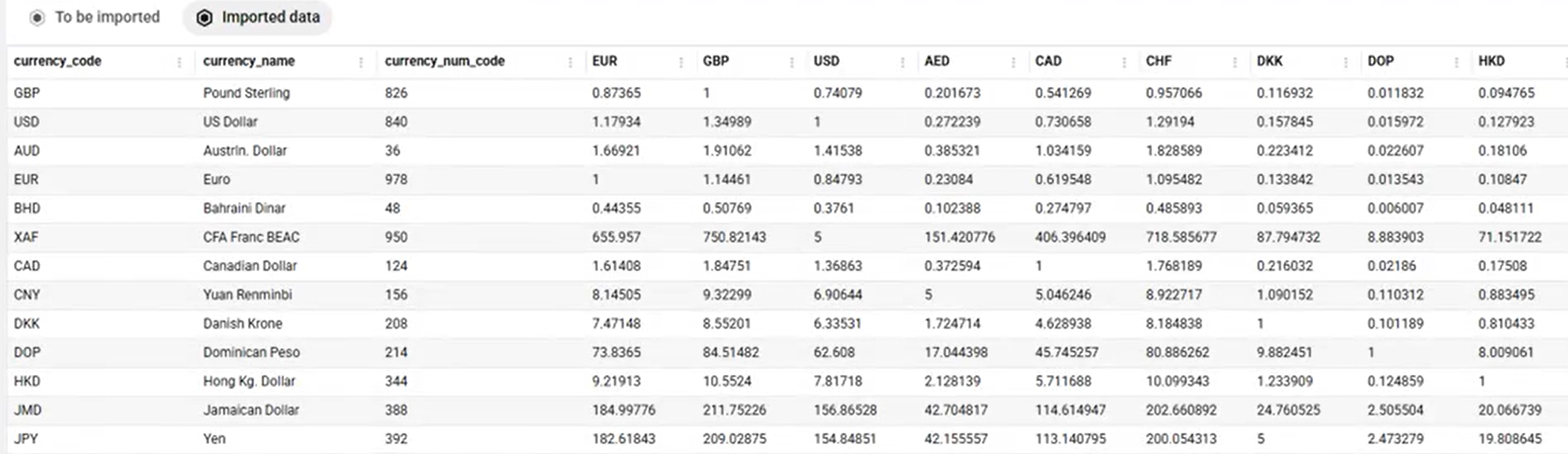
Example