
Accessing the Fuel Suppliers Page
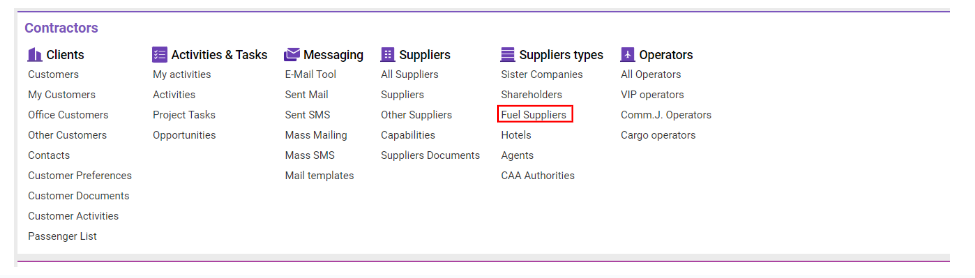
Navigate to the Contractors section and under the Suppliers Types Section click the “Fuel Suppliers” Button.
Overview
This interface provides a detailed list of fuel suppliers, allowing users to view essential information, filter entries, and analyze data through exports. It also supports viewing deleted suppliers and sorting to display recent entries at the top.
Key Interface Elements
List Overview
-
ID: Unique identifier for each fuel supplier.
-
Company: Company name of the fuel supplier.
-
Company Reg. Name: Official registered name of the supplier company.
-
Status: Current status of the fuel supplier.
-
Compliance: Notes related to compliance.
-
P.M.: Broker code.
-
Credit, D: Credit days allotted.
-
Credit, A: Credit amount provided.
-
Cur: Default currency.
-
Office: Associated office of the fuel supplier.
-
CODE: Accounting code.
-
Country: Country location of the fuel supplier.
-
City: City location of the fuel supplier.
-
E-mail: Email contact for the fuel supplier.
-
Phone: Contact phone number.
-
Created: Date when the fuel supplier’s record was created.
-
External ID: SLX ID.
-
Payment Method: Type of payment preferred by the supplier.
Managing Fuel Suppliers
Creation and Deletion
-
Create Fuel Supplier: Use the Create button.
-
Delete Fuel Supplier: Use the Delete button.
Sorting and Filtering
-
Filters Button: Enables filtering by various fields:
-
Selectors: Status, Office, Types, By Company/Category, Country, State, Services, Categories, Types.
-
Check Options:
-
Deleted: Display deleted fuel suppliers.
-
New on Top: Show newly added fuel suppliers at the top.
-
-
-
Alphabetical Filter: Sort by the first letter of the fuel supplier’s name.